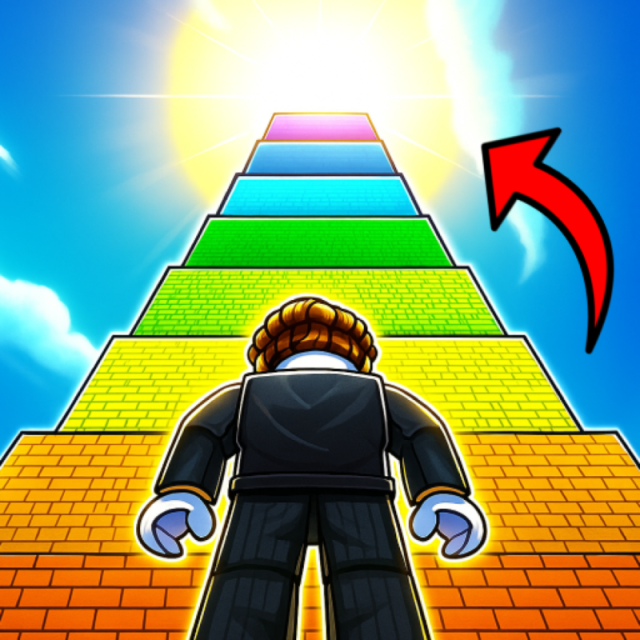
Obby: Click and Grow combines clicker progression with short obstacle sections. Each click increases the character’s size counter, and the collected size lets you pass gates until a challenge is complete. NubiGames tested the game in desktop Chrome on September 18, 2026. We completed the first 400-size challenge, earned one win and tested movement, Auto Click, falling, settings and store menus.
Launch sequence and advertisements
The full launch path was Play now, Let’s Play!, Playgama preloading, a preroll advertisement, Close Ad and then the game. More interstitials appeared after the daily reward, after the first victory and at intervals during play and while viewing the store. Some required a wait of about four seconds before Close Ad became available.
Only the close buttons were used. No PLAY button or advertisement content was clicked, and no optional rewarded placement was deliberately activated. The observed interruptions were interstitial advertisements.
How clicking and size work
A single left click was enough to increase the lightning counter by exactly one; holding the button was unnecessary. A floating “+1” with a lightning icon briefly appeared after each click. No coin, win or other cost was deducted. The tutorial called this value size, and the gates used the same icon, so we treat the counter as size.
The daily reward supplied 100 size. One additional click changed 100 to 101, and eight further clicks led to 110. The counter later showed 118 before the 200 gate, reached 200 as an intermediate target and ended at 400. Although the avatar’s progression depended on this value, a separate geometric change after every individual click was difficult to isolate because the camera kept moving.
First challenge and verified victory
The tested route displayed gates marked 50, 100 and 200. Passing a gate did not spend size. The tutorial required the player to click to 400, complete the challenge and earn a win. We reached 400 and finished the route.
The win counter changed from 0 to 1, the rank moved from Noob 0 to Beginner 1 and size reset from 400 to 0 exactly as the tutorial announced. Rebirth remained at zero. Later control and menu tests ended with one win and 16 size. This verifies a complete click → grow → pass gates → finish → win loop.
Desktop controls and cursor modes
W, A, S and D moved in all four directions, and all four Arrow keys produced the same movement. Space made the character jump. Mouse movement visibly changed the camera angle. P opened Settings, while Q toggled free Auto Click.
Tab was essential because it toggled the game’s internal cursor. With the cursor disabled, moving the mouse controlled the camera and left clicks added size. With it enabled, clicks operated menus instead. Right click neither increased size nor opened a menu. Shift alone had no visible effect, and a brief Shift+W movement did not demonstrate extra speed. E had no visible effect near the egg, and Escape opened no pause menu.
Auto Click, falling and respawning
Q enabled Auto Click without showing an advertisement. During one measurement, size rose from 6 to 11 in about one second without another action. It added roughly ten points before being switched off. This confirms automatic size generation, although a long-term rate was not measured.
A deliberate fall into the void caused an automatic respawn on the starting island. No Retry, Restart or separate checkpoint appeared. The character kept 117 size, zero wins and zero rebirths after that fall. This differs from normal challenge completion, which explicitly reset size to zero while awarding the win.
Settings, eggs and store offers
Settings, opened with P, displayed version 1.2.2.5, Sound, Sensitivity, Size at 100%, language flags, a player-visibility checkbox and RESPAWN. The visibility option warned that it “Heavily impacts performance.” No separate Pause menu was found.
A Noob Egg displayed a cost of one win. After more than ten reasonable positioning attempts, no purchase dialog opened, so the win was not spent and no pet or multiplier was obtained. The game also displayed that pets add a size bonus per click. An Index object was seen but not opened, and a second zone required ten wins.
The store showed pet bundles and resources priced in Gam: pets at 10, 25 and 29 Gam; three pet slots for 9 Gam; ten wheel spins for 29 Gam; a rebirth-without-losing-wins offer for 9 Gam; win and size bundles; and one free wheel spin in Gift. We did not activate, buy or claim any of them. Because no payment screen was opened, we do not assert how Gam converts to real money.
Test limits
We did not obtain a pet, open Index, perform Rebirth, access the ten-win zone, verify a rewarded advertisement or prove sprinting. Mobile, touch and fullscreen remain untested. No developer is attributed because Playgama was identified only as the provider and loading interface.
Find more progression and obstacle titles in the Arcade Games collection.
Frequently asked questions
How much size does one click add?
One left click added exactly one point in the desktop test, with a floating +1 lightning indicator.
What happens when you reach 400 size?
Completing the tested challenge at 400 awarded one win, changed the rank to Beginner 1 and reset size to zero.
Does passing a gate spend size?
No. The 50, 100 and 200 gates were crossed without reducing the observed size counter.
How do you use Auto Click?
Press Q to toggle it. It increased size automatically during the test and did not trigger an advertisement.
Do you lose size after falling?
No in the tested fall. The character respawned on the starting island with 117 size still present.
Was the Noob Egg purchased?
No. Its one-win cost was visible, but repeated positioning attempts did not open the purchase interaction.