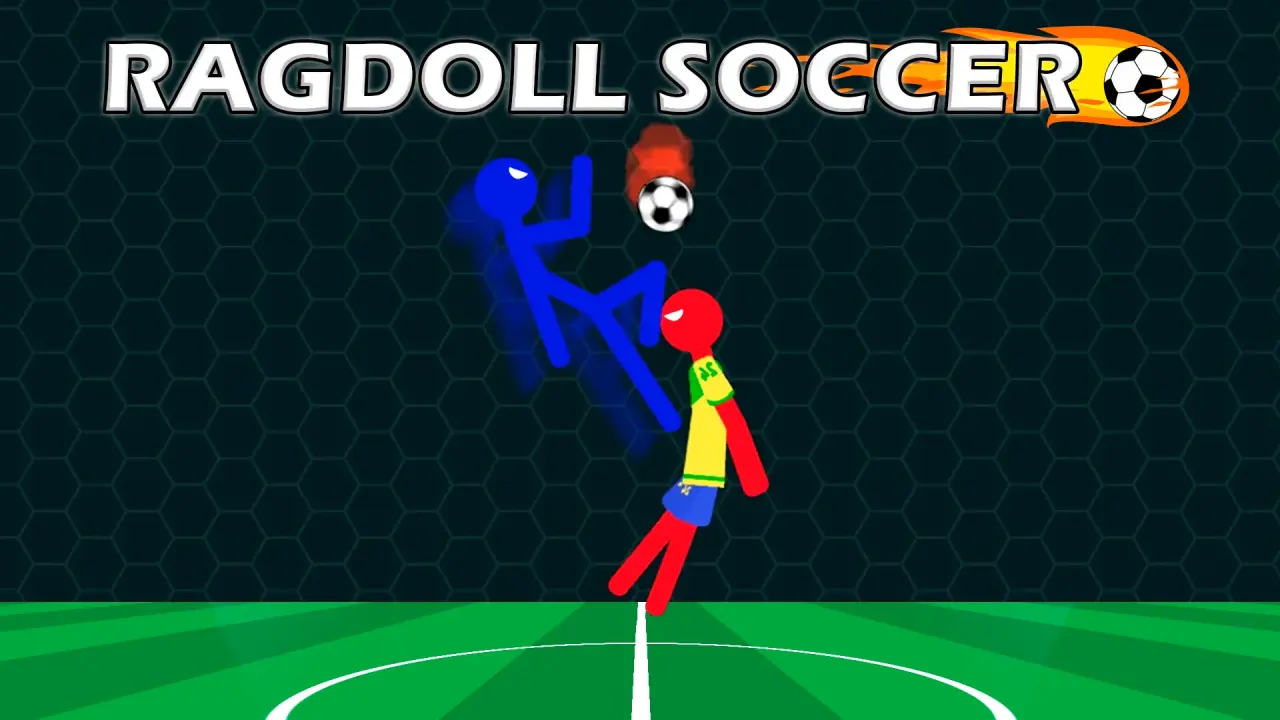
Ragdoll Soccer is a timed stick-figure football game built around loose body movement and separate keyboard actions. NubiGames tested it on a desktop computer on August 28, 2026. The game loaded inside the site player, displayed an interstitial advertisement, and then opened an English tutorial. We completed that tutorial and played one Classic Match on the Field map with Easy selected.
What the desktop test covered
The tutorial began with a blue Player facing a red Enemy, a 0–0 scoreboard and a clock showing 01:00. Its first instruction was “Use WASD to control your character.” Completing that step led to two separate action prompts: Q for a headbutt and E for a kick. The stick figure bent, fell and slid across the floor as those controls were used, so recovering position was part of the interaction rather than an automatic upright animation.
The tutorial ended at 00:00 with the Enemy ahead 1–0. Its result panel named the winner and displayed statistics for Goals, Penalty, Own goals and Super kicks. After Continue, the main screen showed buttons for Boosters, Stickman and Play, along with visible ball and trophy counters.
Ragdoll Soccer controls verified on keyboard
- W, A, S and D: control the character’s movement.
- Q: performs the headbutt action introduced by the tutorial.
- E: performs the kick action introduced immediately afterward.
These are not copied from a catalogue description: each prompt appeared inside the running game, and the tutorial advanced after the requested input. Mouse clicks were used for menus such as Play, mode selection, map selection and result buttons. No controller, touchscreen or mobile browser was tested.
Boosters shown by the tutorial
A later tutorial panel said “Use boosters to win” and presented four circular choices. Selecting them in sequence revealed the labels Small Ball, Freezer, Higher gates and Goalkeeper. Those names are verified from the game screen. We did not activate the four options during the Classic Match, so this guide does not claim a duration, strength, cost or exact match effect for any of them.
Game modes and match setup we saw
The Play button opened a Game Mode menu with Training, Classic Match and 2 Players available as visible tiles. Penalty Shootout appeared locked with a requirement of 50 trophies. Only Classic Match was opened during this review; the presence of the other tiles is recorded without claiming how their rounds work.
Classic Match then displayed a map choice between Field and Matrix, a keyboard control selector and an Easy complexity setting with arrow controls. We chose Field and kept Easy. Matrix and any other difficulty were left untested.
How the tested Classic Match ended
The standard match used the same blue Player and red Enemy presentation, two goals and a countdown clock. The characters repeatedly lost their balance while the ball stayed live, which made moving back toward the goal as important as attempting a strike. The Enemy scored three times during our run. At 00:00, a LOSE panel reported 0–3 and offered Restart or Exit.
The final statistics again separated Goals, Penalty, Own goals and Super kicks. All three recorded goals belonged to the Enemy; the other three columns remained at zero for both sides in this particular match. This is a report of one session, not a claim about the only possible scoring events.
Practical lessons from the tested run
- Use short movement inputs to regain balance before trying Q or E near the ball.
- Watch the space behind the blue player; falling forward can leave a clear route to the left goal.
- Choose between the headbutt and kick according to the ball’s height instead of pressing both without positioning.
- Check the remaining time before chasing a ball that has moved away from goal.
- Learn the basic movement in the tutorial before opening Classic Match.
Advertising, language and untested areas
An interstitial ad appeared between the provider launch screen and the tutorial. The menus and instructions observed were in English. No purchase prompt or purchase screen appeared during the tutorial or Classic Match, so the details card records “None observed”; that wording does not rule out an untested menu. We did not test mobile play, touch controls, fullscreen, Matrix, 2 Players, Training or Penalty Shootout.
More football and arcade games
Ragdoll Soccer’s separate movement, headbutt and kick keys make it a more hands-on keyboard challenge than Soccer Random, whose tested solo mode uses one action key for the whole team. For other short browser challenges grouped by play style, visit the Arcade games collection.
Frequently asked questions
Which keys did the Ragdoll Soccer tutorial require?
It required WASD for movement, Q for a headbutt and E for a kick. We completed all three instruction stages on a desktop keyboard.
How long was the tutorial clock?
The clock showed 01:00 when the tutorial opened and the result appeared at 00:00. The Enemy won our tutorial run 1–0.
Which booster names appeared on screen?
The tutorial identified Small Ball, Freezer, Higher gates and Goalkeeper. Their in-match effects were not tested.
Can I choose a different Ragdoll Soccer map?
The Classic Match setup displayed Field and Matrix. We played Field only, so Matrix is visible but not reviewed.
What statistics are shown after a match?
The tested result panels listed Goals, Penalty, Own goals and Super kicks for Player and Enemy.
Why is Penalty Shootout locked in Ragdoll Soccer?
The mode tile displayed a requirement of 50 trophies in the fresh session we tested. We did not unlock or play it.