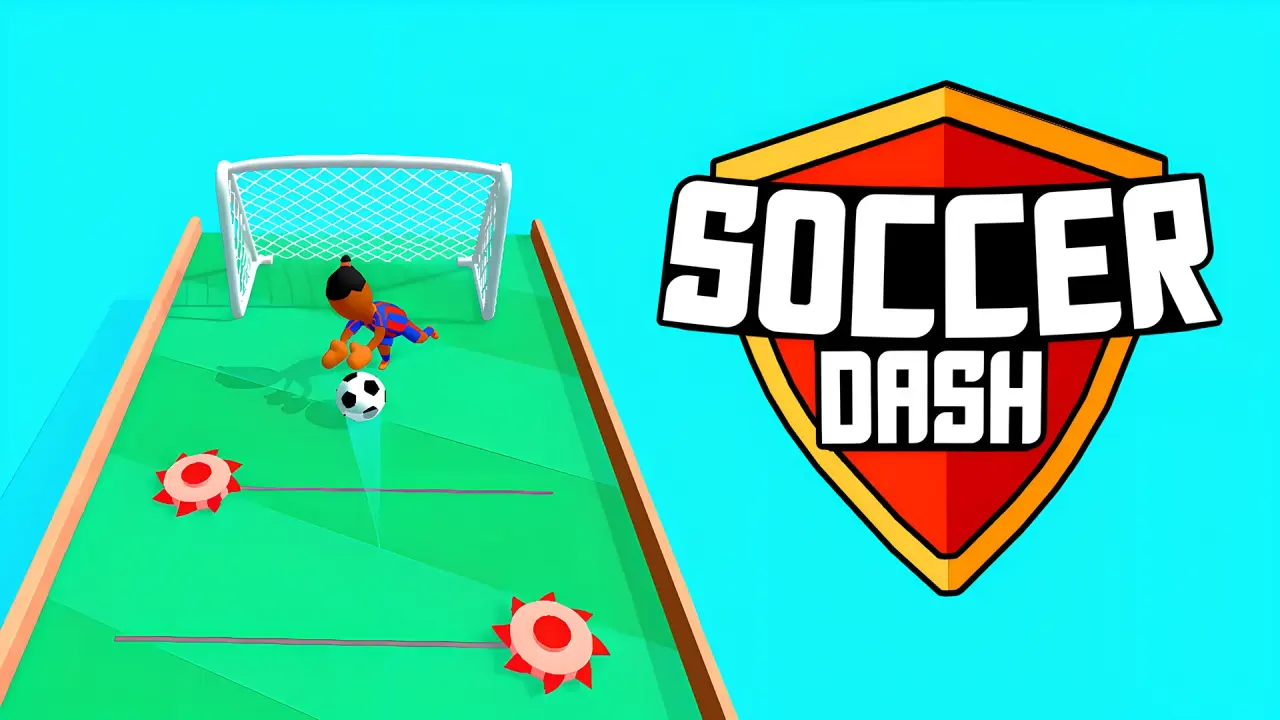
Soccer Dash is a football aiming game in which each mouse drag sends the ball farther along a narrow course. NubiGames tested the browser version on a desktop computer on August 29, 2026. The game loaded after an interstitial advertisement, opened an English menu, and allowed us to enter level 1. We made several straight and diagonal shots, reached the goal area, and encountered defenders and a goalkeeper. The level was not completed during this session.
What we verified before starting level 1
The first menu showed a ball in the centre, a Play button and a World Cup button. A settings icon appeared in the upper left. The right side contained Shop and Skins buttons, while the coin counter displayed zero. We opened Play only; World Cup, Shop, Skins and the settings menu remained untested.
Play led to a level grid. Level 1 was available and the other visible buttons showed padlocks. Selecting the first tile opened a green segmented course surrounded by water. “Level 1” and “Tap to play” appeared before the first interaction.
Mouse control tested in Soccer Dash
On desktop, we clicked near the ball, dragged upward and released. That gesture sent the ball forward and moved the camera along the course. A diagonal drag changed its lateral path, which allowed us to aim to the left or right instead of always travelling through the centre.
- Straight drag: moved the ball up the middle of the track.
- Diagonal drag: shifted the trajectory toward a side of the course.
- Successive drags: were accepted as the ball and camera advanced toward the goal.
No keyboard input was required in the tested level. We did not use a controller, phone or touchscreen, so this page does not claim support for those control methods.
Obstacles observed on the course
The playing surface was a raised, walled strip over water. Outfield defenders stood between the starting area and the net, and a goalkeeper protected the goal. During our attempts, opponents changed pose or fell after the ball approached them. One goalkeeper dive carried the character toward the right edge of the track.
The ball also reached the side wall during a diagonal attempt. The game kept the run active and returned the action to a position farther from the net, allowing another drag. Because no explicit checkpoint label appeared, we describe only the visible repositioning rather than calling it a formal checkpoint system.
How far the desktop test progressed
Several shots carried the ball from the starting area to the final section in front of the net. Straight and angled trajectories moved around the defenders, and the goalkeeper reacted near the goal. We did not place the ball in the net before the browser-control session ended.
That limit is important: this guide does not state how level 1 rewards the player, how level 2 unlocks, whether a missed shot costs a life, or what happens after scoring. The visible level grid proves that later tiles exist and were locked in this fresh session, but their contents were not opened.
Practical observations from the attempted runs
- Use a straight drag while the centre lane is clear.
- Aim diagonally when a defender stands directly ahead of the ball.
- Keep the side walls in view; a wide angle can carry the ball close to an edge.
- Reassess the goalkeeper’s position after each advance instead of repeating the previous direction automatically.
- Expect to use more than one drag between the start and the net.
Advertising, language and untested features
An interstitial ad appeared after the provider’s launch screen and before the game menu. The menu labels and level text we saw were in English. No purchase message or purchase screen appeared in the menus we opened or during the level 1 attempts, so the details card says “None observed”; it does not make a claim about Shop or other unopened areas.
Mobile play, touch input, fullscreen, World Cup, Shop, Skins, settings, scoring, rewards, later levels and unlocking were not tested. The only verified orientation is the landscape desktop player used for this session.
Related arcade football game
Soccer Dash is meaningfully different from Soccer Random: the tested Soccer Dash level uses aimed mouse drags to guide one ball along a course, whereas Soccer Random’s tested solo mode uses the Up Arrow for a physics-driven team action. Both are listed in the Arcade games collection.
Frequently asked questions
How do you shoot the ball in Soccer Dash on a computer?
Click near the ball, drag the mouse toward the route you want and release. We verified both straight and diagonal upward drags.
Did NubiGames complete Soccer Dash level 1?
No. The test reached the goal area after several shots, but the ball was not placed in the net before the session ended.
What obstacles appeared in the first level?
We saw outfield defenders, a goalkeeper, side walls and water surrounding the raised course.
Were later levels available?
Level 1 was the available tile in the fresh level grid. The other visible level buttons were locked and were not opened.
Was the World Cup mode tested?
No. Its button was visible on the main menu, but this review opened Play and level 1 only.
Does Soccer Dash require keyboard controls?
No keyboard input was required in the level 1 session we tested. Its working desktop action was a mouse drag, but later modes may use controls we did not check.