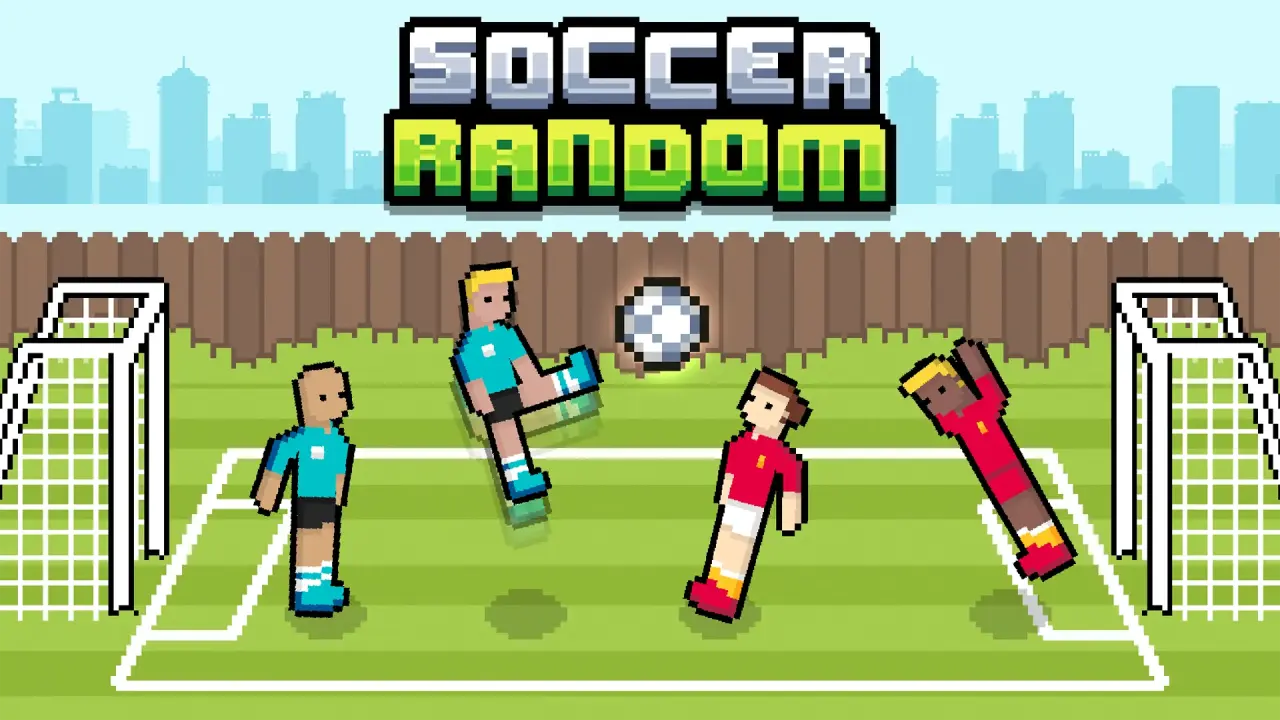
Soccer Random turns a football match into a compact physics duel in which one button moves an entire side. NubiGames tested the browser version on a desktop computer on August 28, 2026. The game loaded after its provider screen and an interstitial advertisement, the 1P match started correctly, and the Up Arrow produced jumps and kicks. During the session, the score reached 1–2 and the setting changed from a green city pitch to a snowy field.
What happens in a Soccer Random match?
The title screen offers 1P and 2P choices. In the solo option, your two footballers face a computer-controlled pair, with one player positioned nearer the ball and the other often acting as an improvised goalkeeper. There is no separate run, pass or shoot command. Pressing the action key makes the pair move at once, so a single input can create a header, a sliding contact, a save or a complete miss.
A goal updates the colored score panels and starts another short round. The reset is not merely cosmetic: the tested match moved from grass to a white, slippery-looking surface, while the kits and player positions also changed. This constant reshuffling prevents a reliable move from working in exactly the same way every time. The challenge is less about memorising combinations and more about reading the ball’s height, your players’ lean and the space behind them.
Controls verified on desktop
After choosing 1P, the game displayed a HOLD ↑ prompt. The Up Arrow was the working solo control in our session. A press sends the team into its physics-driven action; contact depends on where the front player, goalkeeper and ball happen to be at that instant.
- One player: Up Arrow to jump, swing toward the ball and attempt a kick or block.
- Local two player: the instructions inside the provider frame assign W to Player 1 and the Up Arrow to Player 2.
- Mouse: used to choose 1P or 2P; it is not the main match control.
The 2P selection and its key guide were visible, but this test did not play a two-person match. Mobile touch input was not checked either, so the compatibility panel deliberately lists desktop as the verified device.
How the random physics affect each round
Both teammates react together, but their bodies do not stay in a fixed pose. They bend, rotate and fall while the ball rebounds from players, the ground and the goal frame. That makes defensive and attacking actions overlap: a jump intended as a shot can pull the rear character away from the net, while an awkward collision can still send the ball behind the opponent.
The changing arena matters as well. On the snowy round observed during testing, the new surface, uniforms and starting arrangement immediately altered the rhythm. The scoreboard persisted across that transition, confirming that these scenes are rounds within the same contest rather than separate game modes.
For more short games built around quick reactions and unusual rules, continue through the Arcade Games collection.
Useful tactics for the one-button control
- Watch the front footballer rather than the key prompt. Press when that player can meet the ball instead of jumping as soon as a round begins.
- Leave a little time between actions. Repeated inputs can tip both teammates forward and expose an empty goal.
- Use high balls as possible headers; a clean contact is not limited to the front player’s feet.
- After a goal, reassess the pitch and starting poses before copying the timing from the previous round.
- In local 2P, give each player one side of the keyboard so W and Up Arrow can be reached comfortably.
Advertising, language and test limits
An interstitial ad appeared after the provider’s “Let’s Play!” button and before the match screen. It closed automatically during the test. The visible launch copy, mode labels and control prompt were in English. No purchase screen appeared during the checked rounds, so the record says “none observed” without claiming that later menus cannot contain purchases. No visible fullscreen command was verified.
This guide records a hands-on desktop session through the NubiGames player. It covered the provider launch screen, preroll advertising, mode menu, one-player input, scoring and a change of arena. The match was still in progress at 1–2, so we do not claim to have verified the final winning score. For the distributor’s current listing, see Soccer Random on Playgama.
Frequently asked questions
Which key controls Soccer Random in one-player mode?
The Up Arrow controlled the team in the desktop 1P match we tested. One key handles jumping, kicking and defensive movement through the game’s physics.
Can two people play Soccer Random on one keyboard?
Yes. The game presents a local 2P option and its instructions assign W to Player 1 and the Up Arrow to Player 2. Our session confirmed the menu and instructions, but not a complete two-player match.
Why does the football pitch change after a goal?
Changing conditions are part of the same contest. We saw a grass arena switch to a snowy field while the running score remained on screen.
Can you play Soccer Random against the computer?
Yes. Choosing 1P started a match against a computer-controlled pair during our desktop test.
Is Soccer Random a traditional football simulation?
No. There are no separate movement, passing and shooting keys. Its appeal comes from short rounds, paired characters and deliberately unpredictable body and ball movement.