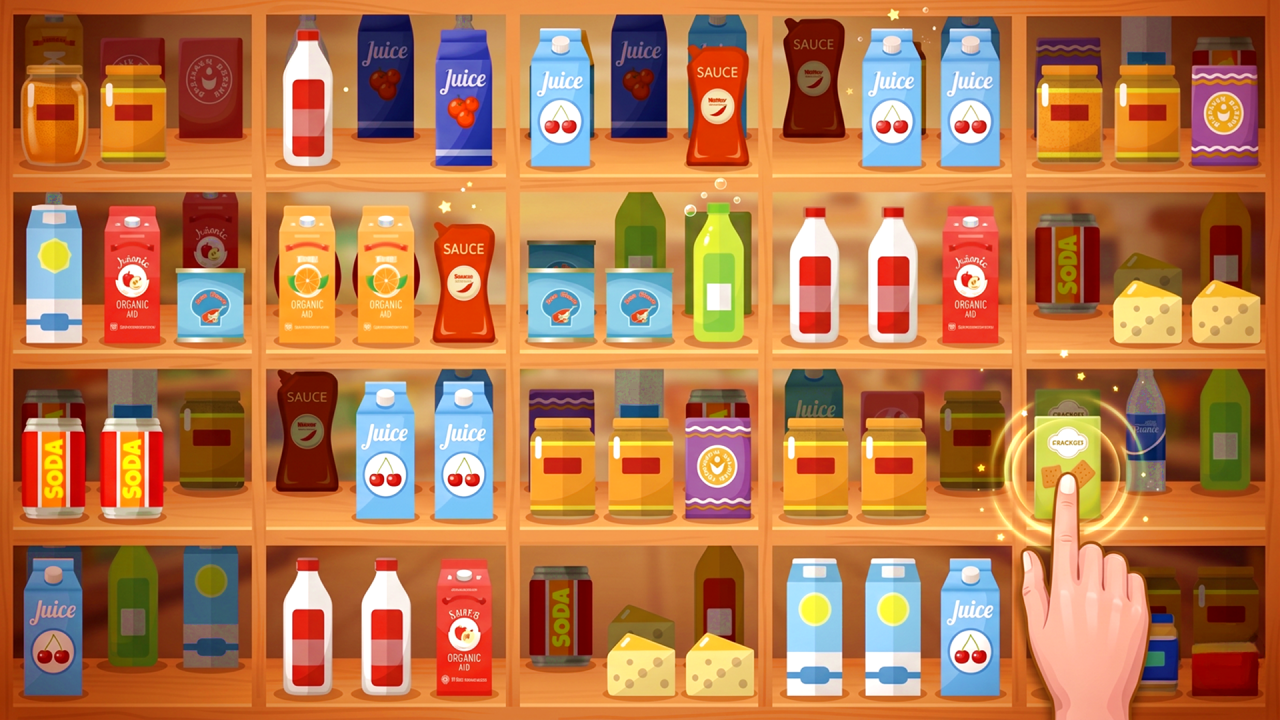
Good Sort Master: Triple Match is a shelf-sorting puzzle in which groups disappear after three identical objects are placed together. NubiGames tested the English version in Chrome on a desktop computer on September 14, 2026. We emptied the first board, received its three-star result and New Items reward, and reached the beginning of the next board. The game did not show a level number, so “first board” and “second board” below describe the order seen during this session rather than official labels.
How triple matching works
Objects begin in separate shelf compartments. The practical objective is to move matching items until three identical examples occupy the same compartment. As soon as the third item joins the group, all three disappear automatically. The board is complete when no objects remain.
No written rules panel or tutorial message appeared on the first board. Its behaviour made the rule clear through direct play: completed groups vanished, while incomplete arrangements stayed on the shelves. Space also matters. A compartment that is already occupied may prevent the desired third item from being placed immediately, so some objects need to be moved temporarily to create room.
Confirmed desktop controls
The working mouse action was drag and drop. Hold the left button over an object, move it to another compartment and release. The object changes position as soon as the drop succeeds. Trying one click on an object followed by another click on its destination did not move anything during the test, so click-then-click control is not claimed.
W, A, S, D, the left and right arrow keys, and Escape were also tested. None produced a visible action. Escape did not open a pause menu. No other keyboard commands were investigated, and no keyboard control was displayed by the game.
The first board completed in the test
The first board consisted of one shelf with four compartments. It contained three item types: apples, cheese pieces and drink cartons. Three copies of each were visible. We first brought the three apples together, and they disappeared. One drink carton then had to be repositioned to free a useful space before the three cheese pieces could be combined. The cheese group vanished automatically as well.
The three remaining cartons were then grouped in one compartment. They disappeared and left the entire shelf empty. This completed sequence verifies all three object groups and shows why intermediate rearrangement can be necessary even on the introductory board.
Completion screen and New Items reward
Clearing the shelf opened a “Well done!” screen with three stars. No numerical score or points total appeared. Continue led to a separate “New Items” reward screen. Its progress indicator moved from 98% to 100%, after which three objects were presented: one juice package and two bottles.
The Next Level button continued the session. An interstitial advertisement appeared before the next puzzle, and closing it revealed a larger arrangement made of two shelf units with three compartments each. Some items were positioned behind objects in front; moving a bottle exposed something that had previously been hidden. The second board was entered but not completed, so its full contents, solution and result are not claimed.
Timers, failure and assistance
No timer, lives counter, move limit or numerical score was visible on either observed board. We did not trigger a failure screen. This means a possible later time restriction, move restriction, penalty or loss condition remains unverified rather than absent.
No Hint, Undo, pause or settings button was visible in the screens visited. Escape did not reveal a hidden menu. We also did not identify music or sound switches, a level-selection screen, a shop, currency, prices or purchase prompts. These features may appear later, so the test only records that they were not encountered through the start of the second board.
Advertising observed
After Play now on NubiGames, the provider frame displayed a second “Let’s Play!” action. An interstitial then ran before the game, with a visible four-second countdown and a Close Ad button that became available afterward. A second interstitial appeared after Next Level and before the larger board, using the same countdown-and-close sequence. Neither advertisement was clicked.
If you prefer searching through detailed scenes instead of rearranging shelves, try the tested Hidden Object: Street Of Secrets. You can also browse more sorting, matching and observation challenges in the Puzzle Games collection.
Frequently asked questions
How do you move an object?
Hold the left mouse button on it, drag it to another shelf compartment and release. Two separate clicks did not work in the tested session.
What makes objects disappear?
Three identical objects placed together disappear automatically. The board finishes after every group has been removed.
Which objects appeared on the first board?
The tested shelf contained three apples, three cheese pieces and three drink cartons across four compartments.
What happened after clearing the first board?
A “Well done!” screen displayed three stars. Continue then opened the New Items reward, whose progress moved from 98% to 100%.
Which new items were unlocked?
The reward showed three objects: one juice package and two bottles. Their later gameplay use was not tested.
Does the game have a timer or move limit?
Neither was visible on the two boards observed. No failure was triggered, so later restrictions and loss conditions remain unknown.
Did keyboard controls work?
No visible response followed W, A, S, D, Left, Right or Escape. Only mouse drag and drop was confirmed.