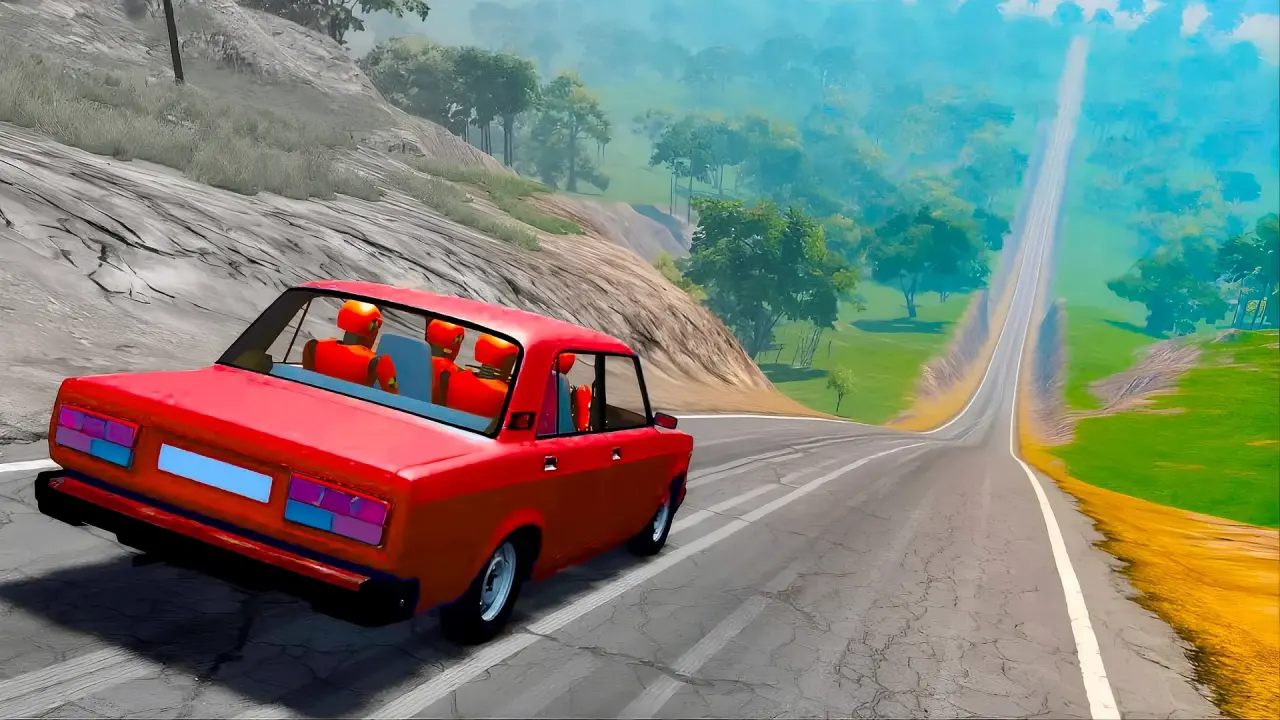
Deadly Descent is a browser driving game presented from behind a car at the top of a broad downhill road. NubiGames tested it on a desktop computer in Chrome on August 30 and 31, 2026. The checks confirmed sustained keyboard driving, braking, steering, a camera change, the settings menu, the start-of-race HUD and a defeat after a collision or leaving the route. They did not confirm a finish or the exact post-defeat restart control. Those limits matter: this guide reports interactions actually observed, not features inferred from the title.
What the opening screen shows
The game opens with the player car between two other cars, facing a downhill route toward a distant ramp or bridge. The upper-left HUD showed POS 1/3, Best Speed 0 KM/H and Best Time 00:00:000. A vertical route marker appeared on the right. These are visible indicators rather than a verified explanation of race rules. The start view is third-person from behind the vehicle, with the road, roadside rocks, palm trees and the two nearby cars all in frame.
Before the race view becomes active, an illustrated keyboard panel appears. It labels W/A/S/D and the arrow-key cluster as GAS/BRAKE/TURNS. A separate C key is labelled CHANGE CAMERA. The blue OK button closes this introduction. This makes the basic desktop intent clear: use the keyboard to accelerate, brake and steer, with C for the camera. The instruction does not assign a separate function to every individual key in text, so this guide does not invent a more specific mapping than the game displayed.
Desktop controls we could verify
- Camera: pressing C changed the rear view to a wider, more distant camera angle. Pressing it again returned to the closer view.
- Settings: the gear icon opened a panel with Main and Controls tabs. Main displayed a Sound toggle; Controls reopened the keyboard diagram.
- Keyboard layout: the game visibly presents W/A/S/D and arrow keys for gas, brake and turns.
- Capture: a camera-shaped icon was visible next to the settings icon. Its action was not tested.
Short automated key taps initially left the run at 0 KM/H and 00:00:000 because this game needs a sustained press. A manual follow-up in Chrome resolved that limitation. Holding W or the Up arrow accelerated the car; holding A/D or Left/Right changed its direction while moving; S or the Down arrow applied the brake. These are tested controls rather than a transcription of the diagram. The check did not measure stopping distance, maximum speed or differences between the two key layouts.
Objective, collisions and progression
The road descends toward a distant structure and the HUD begins at position 1 of 3, so the game visually frames a three-car driving event. The manual drive confirmed that the vehicle can travel and be steered along the route, but the test did not reach the distant structure, record an overtake or finish the event. No verified scoring rule, time target or final placement result is therefore described here.
A collision or departure from the route produced a defeat during the manual check. This confirms a failure state, but not every possible crash condition or damage rule. The exact wording and behaviour of a Restart, Retry or Next control were not recorded, so this guide does not name one. The same cautious boundary applies to finishing, levels, unlocks and long-term progression.
Menus, advertising and fullscreen
The settings menu was usable and its Sound switch was visibly green when opened. The Controls tab displayed the same key diagram from the introduction. No fullscreen button appeared in the game’s intro, HUD, settings panel or page controls inspected during the session. Fullscreen is therefore recorded as not observed, rather than unsupported. Advertising appeared at the beginning of the game and again after the defeat. Those placements are recorded as observed interstitial advertising; their frequency across longer sessions was not measured.
No shop, currency counter, purchase prompt or payment screen was opened. Purchases remain unverified. Only the English interface text shown in this session is reported. Mobile and touch were not tested. For more browser driving titles, explore the NubiGames Racing Games collection.
Frequently asked questions
What keys does Deadly Descent show for driving?
The Controls panel assigns W/A/S/D and the arrow keys to gas, brake and turns.
Can I change the camera?
Yes. C changed the observed view between a close rear camera and a wider rear camera.
What does POS 1/3 mean?
The HUD showed POS 1/3 at the start. The session did not progress far enough to verify the game’s placement rules.
Were collisions or crashes tested?
Yes. A collision or leaving the route produced a defeat during the manual desktop drive.
How do I brake?
Hold S or the Down arrow. Both inputs were tested while driving in Chrome.
Can I change sound settings?
The gear menu opened a Main tab with a Sound switch. Its audible effect was not measured.